Automating Customer Support Workflows with Case Chatter Feed Tracking in Salesforce

Cold Sun Capital
Editorial Team

Customer support teams deal with a ton of pressure every day, from juggling inquiries to keeping everyone on the same page. But when workflows aren't smooth, it creates real headaches that slow things down and frustrate both agents and customers.
Inefficient workflows often mean lost inquiries and spotty follow-up, turning small issues into big problems. Agents struggle to manage expectations for fast, personal responses while handling chats across emails, chats, and social media. Existing systems can feel clunky, leading to overlooked messages or delays that erode trust. From what I've seen, this hits hard in busy environments where teams are spread out—it's like trying to herd cats while answering the phone. One report points out how these gaps make it tough to deliver quality service without constant firefighting Top 5 Customer Support Challenges. And yeah, it adds up, leaving customers feeling ignored.
Manual processes make things worse by killing scalability and quick responses. Think about typing up notes by hand or switching between apps for every update—it eats time and invites mistakes, like sending the wrong info or delaying fixes. This not only ramps up costs but also leaves customers hanging, expecting seamless help that just isn't there. I've talked to folks who say it feels endless, especially as demand grows. Studies show these old-school methods drag down satisfaction, with errors in things like order tracking hitting the bottom line Ways Manual Order Management Impacts Customer Experience.

Case chatter feed in Salesforce turns scattered customer support into a smooth, connected process by letting teams track updates right where the action happens. It's like having a live stream of everything related to a case, so nothing slips through the cracks.
This setup gives real-time updates on customer inquiries, keeping everyone in the loop without constant checking. Imagine a support ticket popping up with instant notes on changes—like a status shift or new comment—straight in your feed. That means agents spot urgent needs fast, without digging through emails or logs. From what I've gathered, this kind of visibility cuts down on surprises and helps teams stay proactive What is Salesforce Feed Tracking?. Plus, it ties into broader Salesforce case feed automation, making sure updates flow naturally as cases evolve. We've all dealt with delays from outdated info; this fixes that by pushing notifications where you need them most.
Shared information through the case chatter feed boosts collaboration across support teams in a big way. Team members can follow cases, post quick thoughts, or tag others for input, creating a shared space that feels more like a group chat than a stiff system. It breaks down silos, so folks in different departments—like sales and service—see the full picture and chime in early. I remember hearing from a team lead how this sparked better handoffs, turning solo efforts into group wins Features of Chatter. And with Salesforce case management collaboration at its core, it encourages that back-and-forth without extra tools, easing the strain from those manual handovers we talked about.
Quicker response times come naturally from these features, leading to stronger customer interactions overall. Real-time alerts let agents jump on issues before they snowball, resolving things faster and with less back-and-forth. Customers get that personal touch they crave, feeling heard instead of shuffled around. Studies back this up, showing how immediate access to feedback ramps up satisfaction and cuts repeat contacts Real-time Support Benefits. Streamline customer service with chatter like this, and you see interactions improve—agents handle more with confidence, and trust builds steadily.
Now that we see how this works, let's look at setting it up step by step.
Getting case chatter feed Salesforce up and running doesn't have to be a headache if you take it one piece at a time. It starts with simple setup moves that tie into your daily support routines, making sure updates flow without extra hassle.
The process to enable this kicks off right in your Salesforce dashboard. Head to Setup first, then type "Support Settings" into the Quick Find box and pick that option. From there, click Edit and check the box for "Enable Community Case Feed Action and Feed items." Hit Save, and you're basically done with the basics. This opens the door for real-time posts and comments on cases, pulling in that customer support chatter updates vibe we need. I've seen teams skip double-checking permissions here, but it pays to review user access right after—ensures everyone who should see the feed actually does. Once activated, test it on a sample case to watch notifications pop up as expected Salesforce Help on Enabling Case Feed Actions. Thing is, this step alone can shift how your team handles inquiries, turning isolated tickets into shared conversations.
But just flipping the switch isn't enough; weaving it into your current workflows takes some smart planning. Start by mapping out where chatter fits—like adding it to case assignment rules or email alerts—so handoffs feel natural, not forced. Pick a small group to pilot it first, gather their input on what clicks, and adjust from there. Documentation matters too; jot down how it links to existing processes, so new folks aren't lost. Focus on key goals, like faster resolutions or better team sync, and track those to stay on point. This approach to case chatter feed implementation keeps things steady, avoiding overload while building Salesforce case management collaboration into the mix Rocketlane on Implementation Best Practices. And honestly, when you align it with what your customers actually want, like quicker replies, it starts to streamline customer service with chatter in ways that stick.
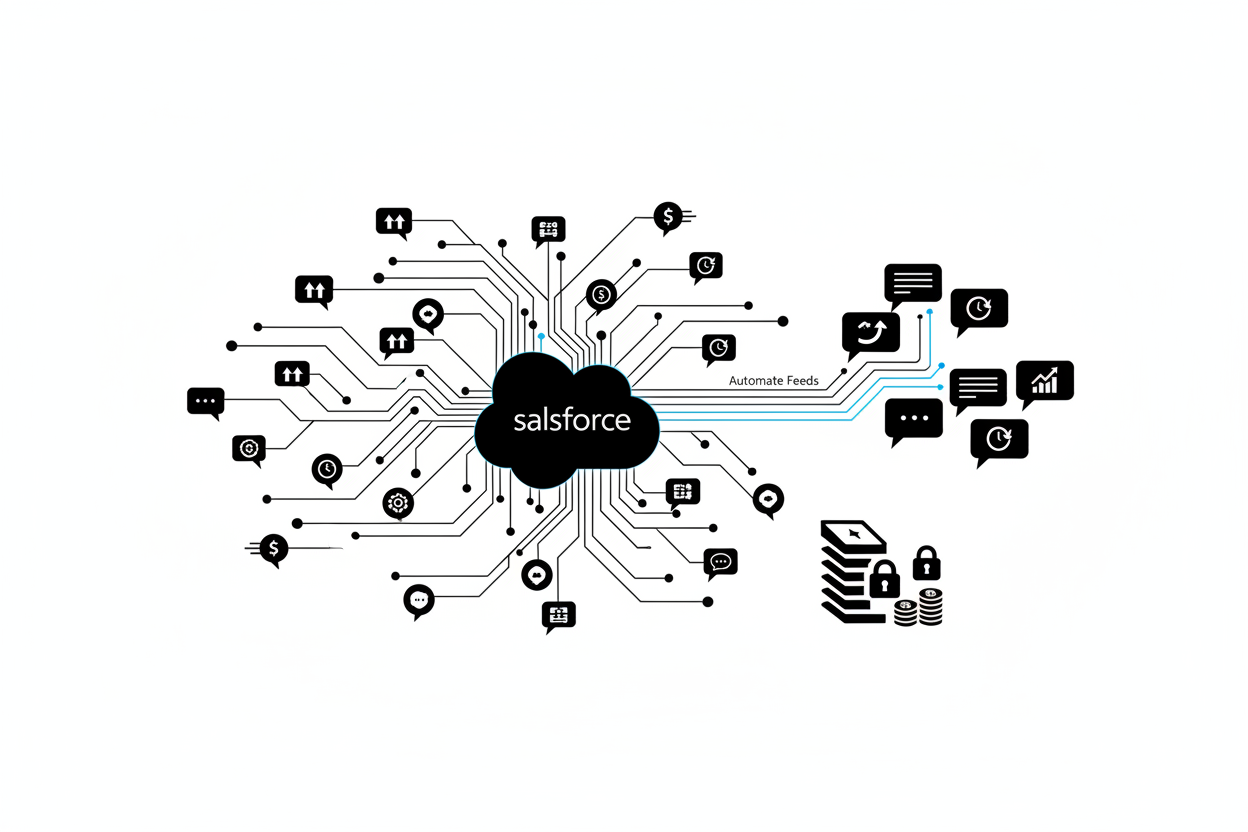
Once you've got case chatter feed Salesforce set up, the real payoff comes from how it cuts down on busywork and boosts your team's flow. Automation here turns scattered updates into smooth, hands-off processes that save time and keep things moving.
Think about all those manual check-ins that eat up hours—chasing emails, pinging colleagues, or digging through notes just to stay on top of a case. With Salesforce case feed automation, that changes fast. It handles follow-ups on its own, routing comments and alerts right where they need to go. Teams spend less time on routine tasks and more on solving real problems. This setup streamlines operations, letting support staff tackle tougher inquiries without the drag of constant manual nudges. From what I've seen in busy support setups, it frees up folks to focus on what matters, cutting down on errors and speeding up resolutions overall Vocadesk on key benefits of automating customer service. Plus, it trims costs too, since you're not burning through extra hours on simple tracking.
But it's not just about internal wins; customers feel the difference right away. Quick responses build trust, and automation makes that happen by pushing out timely replies without delay. Customer support chatter updates pop up in real time, so issues don't sit idle. People get answers faster, which turns frustrating waits into positive experiences. Businesses that use this often notice happier clients who stick around longer, since personalized service feels more reliable. It's like giving your support a turbo boost—customers appreciate the speed, and it shows in their feedback Yellow.ai on customer satisfaction in the automation era. I've talked to teams who say this alone lifts their satisfaction scores, making every interaction count.
Over the long haul, this tool shines in keeping tabs on inquiries without the chaos. Better tracking means nothing slips through the cracks; every comment and update stays visible for the whole team. It fosters Salesforce case management collaboration, so handoffs are seamless and insights build up over time. Support gets stronger as patterns emerge from all that shared info, leading to smarter fixes down the line Tenetizer on chatter feed advantages. And when issues resolve quicker and more thoroughly, your service quality just keeps climbing.
These perks make a solid case for diving deeper into real-world applications next.
Seeing case chatter feed Salesforce in action shows how it transforms everyday support challenges into efficient routines across different fields. Businesses in retail, telecom, and healthcare often turn to this for handling customer queries without the usual headaches.
Take retail, for instance. Stores dealing with high volumes of returns and complaints use it to keep track of discussions around orders. Staff can see updates on product issues right away, which helps sort things out faster. This setup means less back-and-forth over email and more quick fixes on the floor. From what teams share, it cuts down on mix-ups during peak seasons, like holiday rushes, where every minute counts. And in telecom, companies managing billing disputes or service outages rely on it to log notes from calls and texts. Technicians jump in with solutions based on the feed, avoiding repeated explanations. It's a game-changer for keeping customers looped in without extra calls, especially when outages hit multiple lines at once.
Healthcare providers find it handy too, particularly for patient follow-ups. Clinics track appointment reminders and medication questions through shared comments, ensuring nothing gets overlooked. Nurses and admins collaborate seamlessly, which smooths out care coordination. In one setup I heard about, this approach helped reduce wait times for non-urgent issues, letting staff focus on urgent cases. Overall, these examples highlight how case chatter feed implementation adapts to specific needs, whether it's fast-paced sales or detailed service logs.
Now, look at case studies from e-commerce outfits. One group revamped their support by automating alerts for order status changes. Before, reps chased details across systems; now, customer support chatter updates flow directly into cases. They saw quicker resolutions, with teams handling more tickets without added stress. Satisfaction went up because replies felt personal and prompt, turning one-off buyers into regulars. Another study from a financial services firm showed similar wins. By integrating feeds for fraud alerts, they sped up investigations. Shared insights meant fewer errors in verifying claims, and clients got updates without nagging for status. These stories point to real gains in trust and efficiency.
Insights from businesses adopting this often stress the team side. Managers note that Salesforce case management collaboration builds better habits over time. New hires pick up patterns from past feeds, so training shortens. Plus, it uncovers trends, like common complaint types, leading to proactive fixes. But sometimes, initial setup trips folks up—getting everyone to use it consistently takes nudges. Still, those who stick with it say the payoff in smoother days outweighs the effort. Streamline customer service with chatter becomes second nature, fostering a more connected crew.
Salesforce case feed automation like this opens doors to even more tweaks, which we'll explore in how to get started.

The future of customer support is leaning hard into automation, building on tools like case chatter feed Salesforce to make interactions smoother and smarter. As businesses push for faster responses, tech advancements promise to handle more behind the scenes, letting teams focus on what matters.
Trends in customer support automation point to a big shift toward AI-driven tools and self-service options. Companies are rolling out bots that chat with customers in real time, answering common questions without pulling in a human right away. This setup helps across channels like email, chat, and social media, creating a seamless flow no matter where the conversation starts. Omnichannel strategies are getting easier too, so customers switch platforms without repeating themselves. From what experts say, these changes meet the demand for quick, always-on service that keeps people coming back. Plus, advanced portals let users fix issues on their own, cutting down on ticket volumes. It's all about efficiency without losing that personal touch.
AI and machine learning are changing the game in support workflows, especially when it comes to Salesforce case feed automation. These techs learn from past interactions to spot patterns, like recurring complaints, and suggest fixes before problems blow up. Generative AI steps in to draft replies or summarize long threads, making customer support chatter updates feel more natural and timely. Agents get freed up for tough cases that need empathy or deep dives. Machine learning also personalizes responses based on customer history, boosting satisfaction. But it's not just speed—AI handles routine stuff so teams build stronger relationships. In my view, this evolution turns support from a cost center into a loyalty builder.
Looking ahead, the customer service landscape will likely blend human insight with AI smarts for hybrid models. Predictions show more predictive tools that flag issues early, like spotting unhappy customers from chat tones. Case chatter feed implementation will tie into broader ecosystems, streamlining customer service with chatter across devices. Salesforce case management collaboration could expand with voice assistants and VR for immersive help sessions. Overall, expect higher loyalty as services feel proactive and connected. Challenges like data privacy will pop up, but the wins in speed and personalization seem worth it.
These forward-looking ideas set the stage for practical steps on bringing automation into your setup.
Many people think case chatter feed Salesforce isn't great for team collaboration or that it just adds extra noise to workflows. But we see it as a tool that actually boosts communication when used right—reducing the feed rate might seem like a fix for chatter, yet it often leads to smoother, more stable interactions instead of eliminating issues. Our research shows understanding these ideas helps teams get the most out of it without frustration.
What technical challenges come up with case chatter feed implementation?
During case chatter feed implementation, users sometimes find the feed doesn't show up properly for certain roles, like community partners. This usually ties back to setup glitches or permission settings that block visibility on custom objects. We recommend checking configurations early to avoid these hiccups and ensure everyone sees the updates they need.
How does Salesforce case feed automation help with daily support tasks?
Salesforce case feed automation makes handling customer queries faster by tracking chatter in one place, so nothing slips through. It cuts down on manual checks and lets agents respond quicker to updates. From what we've seen, this setup streamlines customer service with chatter, turning scattered notes into organized flows that save time.
What are the best practices for customer support chatter updates?
For effective customer support chatter updates, start with training so everyone knows how to use the features without overwhelming the feed. Set clear rules on when to post in chatter versus sending emails, and keep profiles current for better context. We find this approach enhances Salesforce case management collaboration, making teamwork feel natural and productive.
How can we maximize the benefits of streamline customer service with chatter?
To streamline customer service with chatter, focus on integrating it into your workflows without overcomplicating things—train regularly and guide usage to avoid clutter. Update permissions and test visibility across user types to catch issues fast. Our insights suggest this builds stronger connections, helping teams handle more cases efficiently while keeping things personal.
You've explored how case chatter feed Salesforce can transform your support workflows, from tackling technical hurdles to adopting smart practices. Now it's time to look at your own setup. Take a step back and review your current customer support processes—spot those repetitive tasks like ticket routing or follow-ups that eat up time. Businesses often find quick wins by pinpointing these areas first, as shared in guides on how to automate customer support. This evaluation sets the stage for real change, addressing pain points like lost inquiries or manual communications that slow you down.
Implementing case chatter feeds starts with that honest assessment, but don't stop there. Roll out Salesforce case feed automation thoughtfully, weaving it into daily routines to boost efficiency without overwhelming your team. For customer support chatter updates, focus on clear guidelines that keep things organized. And remember, case chatter feed implementation shines brightest with hands-on training—get everyone on board so collaboration feels seamless.
To really streamline customer service with chatter, commit to ongoing tweaks. Regular check-ins on usage help spot what's working and what needs adjustment, much like advice from experts on using Salesforce Chatter better. Salesforce case management collaboration thrives on this continuous effort, turning potential chaos into smooth operations. Dive into available resources like webinars or forums for more tips on implementation.
Ready to level up? Start by auditing one process this week and explore training options to make automation stick.
Related Articles

The Future of ERP: Cloud Platforms and Digital Transformation
Explore how cloud-based ERP platforms are driving digital transformation and enabling organizations to achieve operational excellence.

Salesforce Revenue Cloud Implementation Guide: Best Practices for CFOs
Learn how to successfully implement Salesforce Revenue Cloud to automate revenue recognition, reduce close cycles, and gain real-time financial visibility.

NetSuite SuiteSuccess Implementation: Accelerating Time to Value
Discover how NetSuite SuiteSuccess methodology can accelerate your ERP implementation and deliver faster time to value.
Need Expert Guidance?
Schedule a consultation with our ERP experts to discuss your implementation needs.
Schedule Consultation